Calories Burned
Everything the app can do, for one metric.
- Weeks wall and month view
- Four ranges and 21 colors
- Streaks, goal rate and best day
- Home Screen and Lock Screen widgets
- Light and dark mode

iPhone · Works with Apple Health
Wall of Truth is a free iPhone app that turns your Apple Health data into GitHub-style activity heatmaps: one square per day, colored by how hard you showed up. A whole year of calories, steps, sleep and workouts on one screen.
Wall of Truth is a free iPhone app that turns your Apple Health data into GitHub-style heatmaps, one square per day.
 Try it in your browser Needs an Apple Health export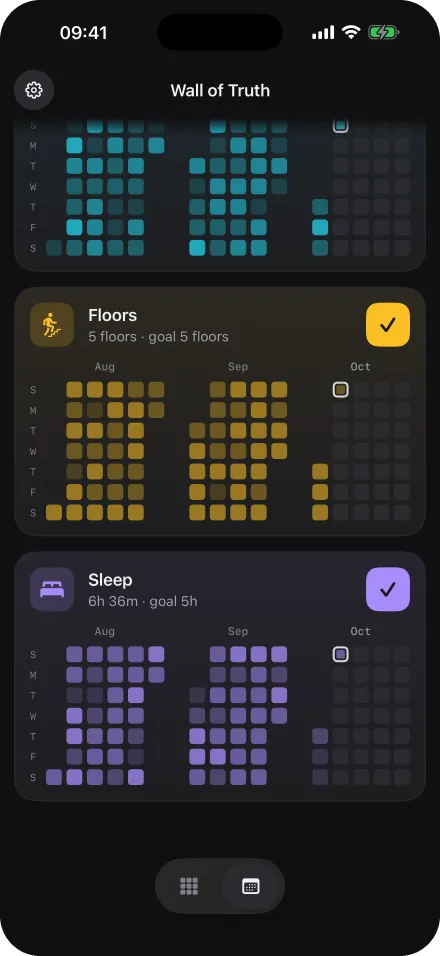
Demo data in English
The wall
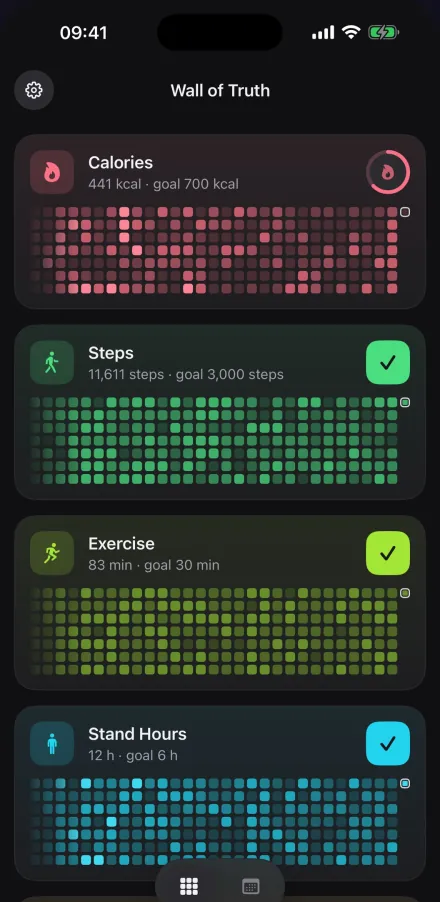
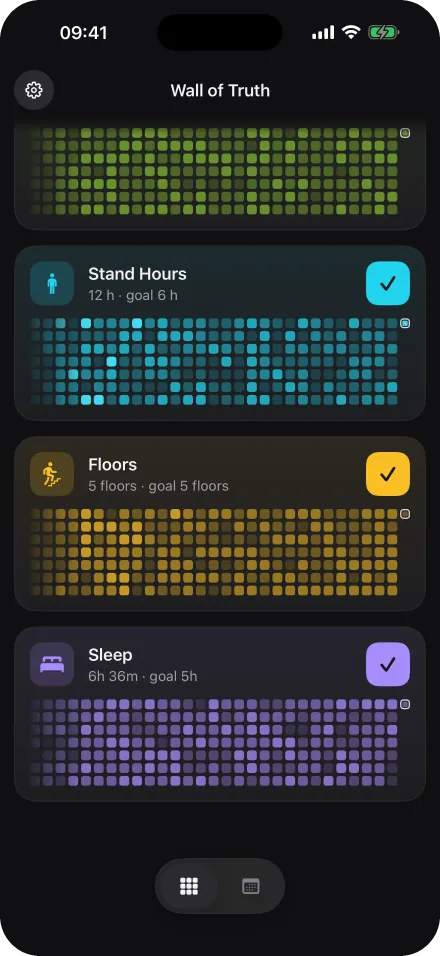
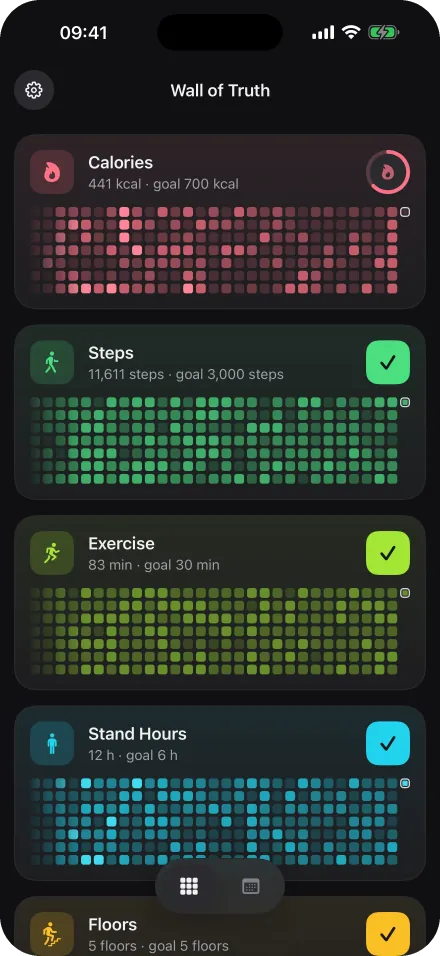
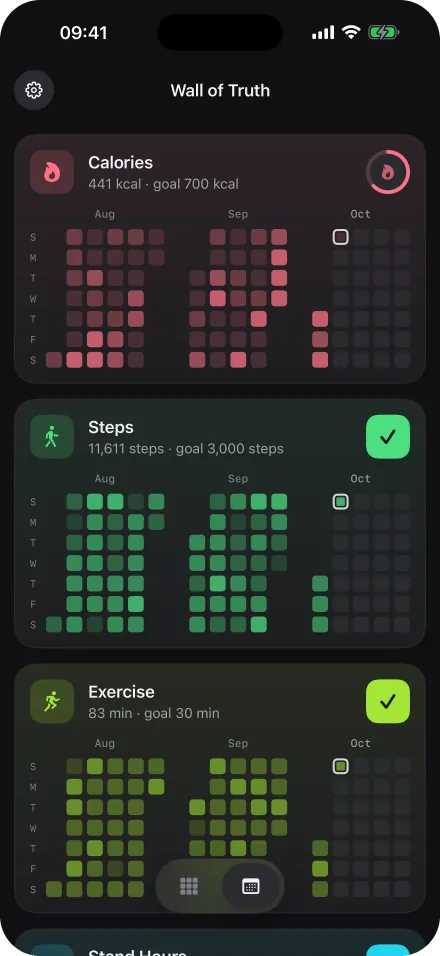
A whole year on one screen. Active stretches, breaks and comebacks show up as patterns, not as a number.
Your iPhone and Apple Watch already record everything. Wall of Truth reads it straight from Apple Health and keeps your walls up to date, even in the background.
Tap any day for its value. Open a metric for your streaks, goal rate, daily average and best day.
Every wall and every widget, in both appearances.
Six metrics
Calories, steps, exercise, stand hours, floors and sleep, each with its own wall, its own ranges and its own color.
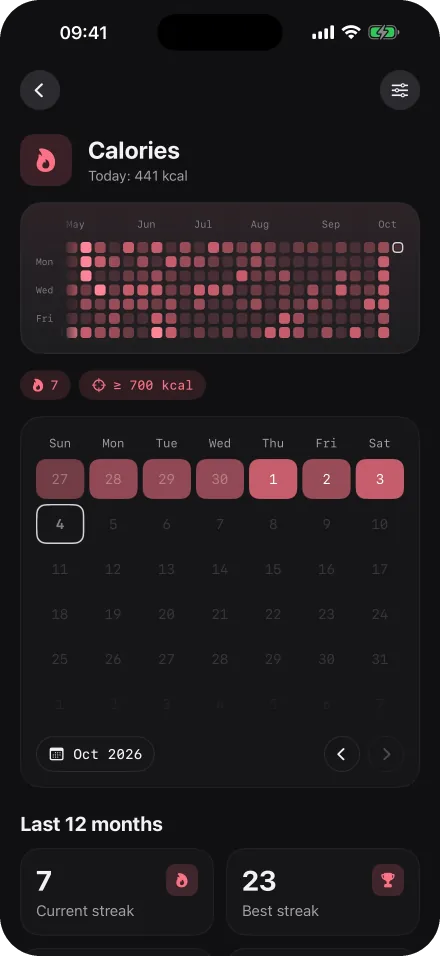
Calories burned, straight from Apple Health. Free forever, with every feature.
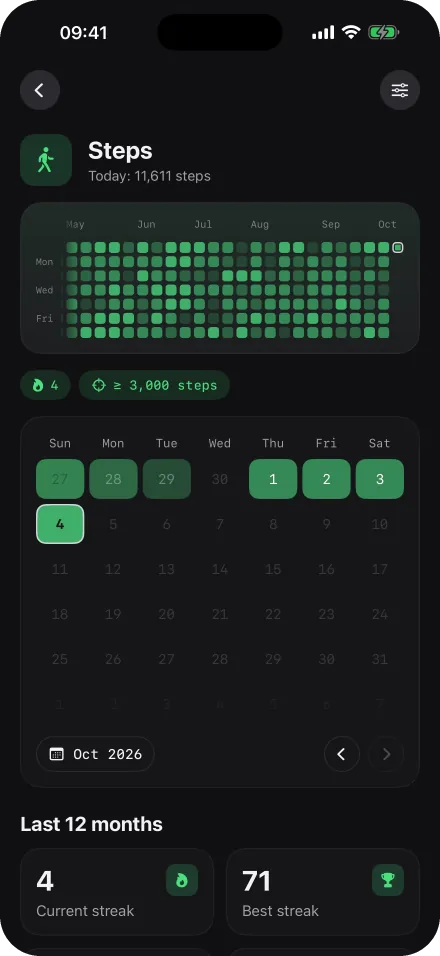
Every walk counts, from the short one on a rough day to the long one on Sunday.
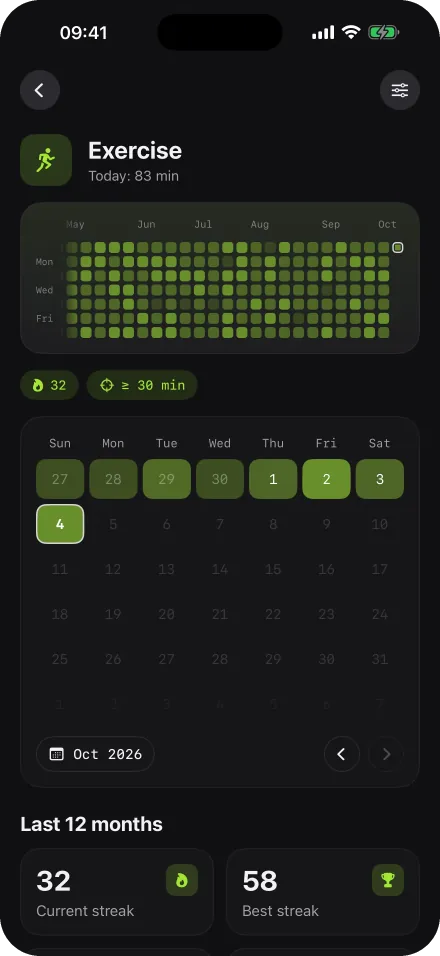
Exercise minutes, the way Apple Health records them.
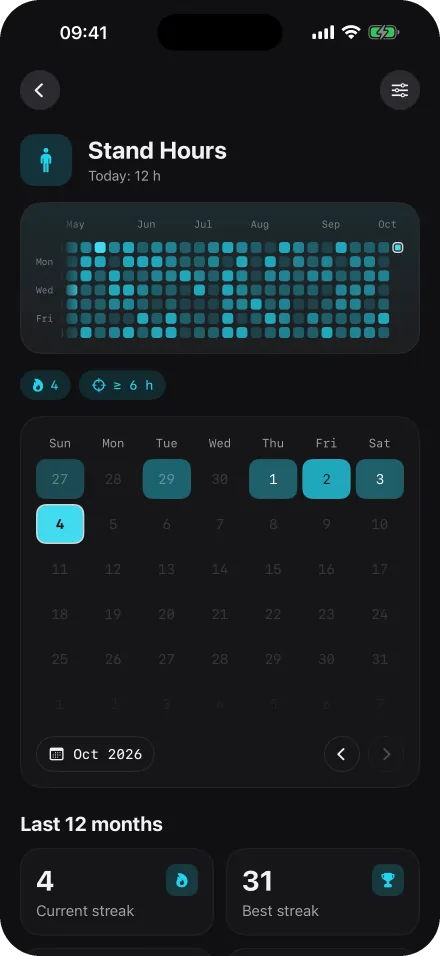
The hours you got up and moved.
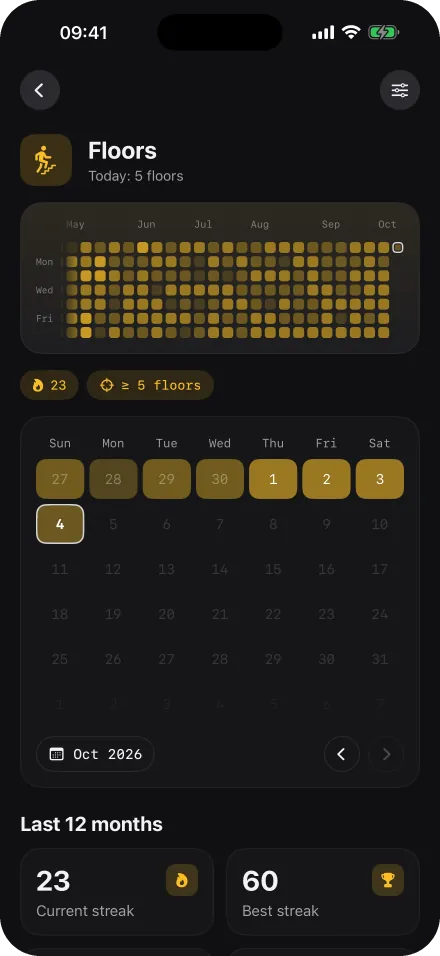
Stairs add up. See the days you took them.
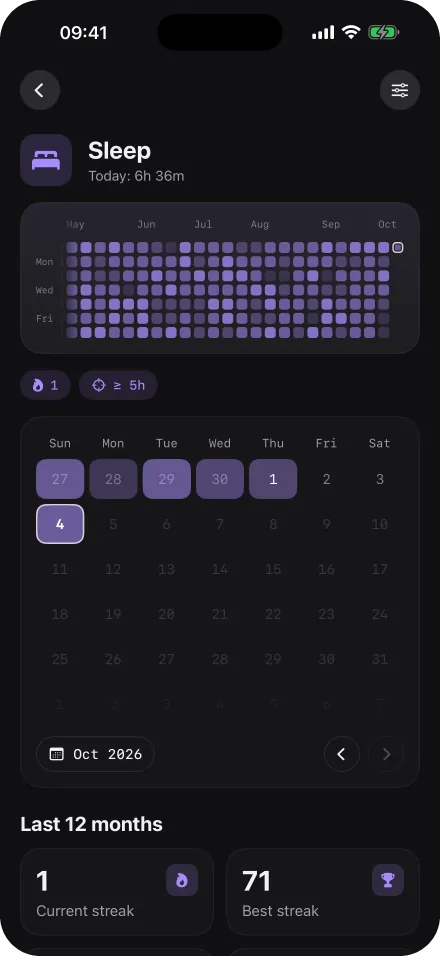
Hours of sleep, so rest gets a wall too.
Ranges and colors
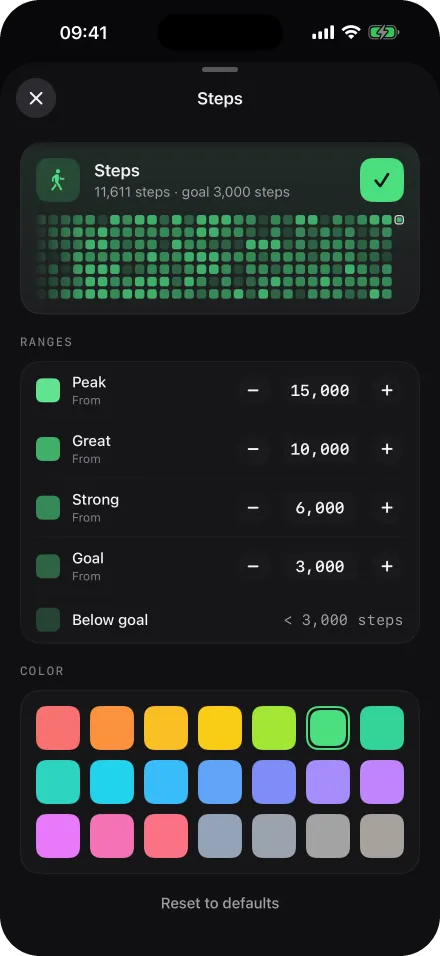
Not just done or not done. Every metric has four ranges you set yourself: Goal, Strong, Great and Peak. A short walk on a rough day still counts, and the Saturday long run earns the deepest color.
Weeks or months
Read your year as one continuous wall, or switch to the month view and spot your patterns month by month.
Widgets
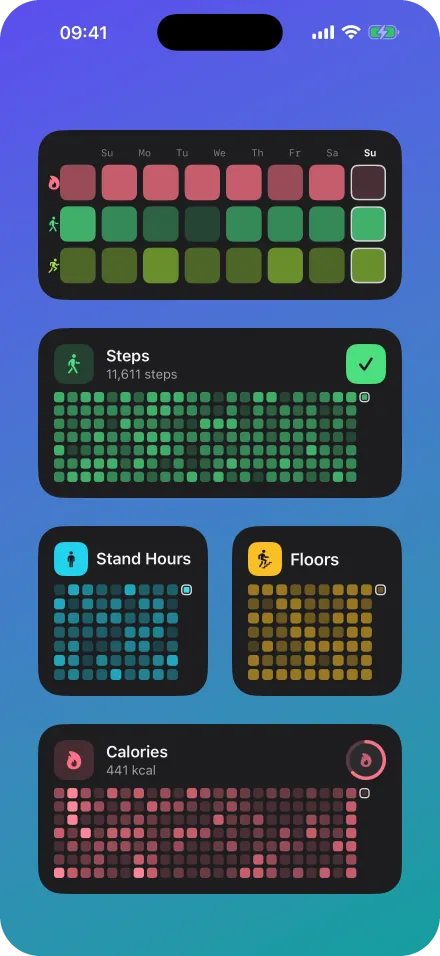
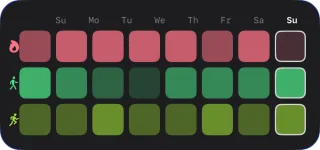
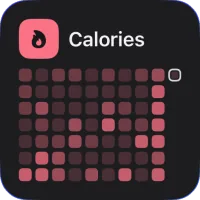
Put a wall on your Home Screen or Lock Screen, or see the last days of every metric in the overview widget. Today’s empty square asks the same quiet question: are you going to fill it?
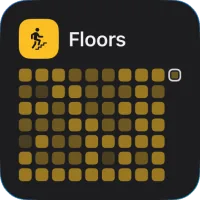
Demo data in English
Privacy
Your health data stays on your device. No account, no cloud, no analytics on your workouts, nothing to sell. The only person watching your wall is you.
Health data is read from Apple Health on your device and stays there.
Nothing to sign up for, nothing to sync, nothing to leak.
Nothing to sell. The only person watching your wall is you.
Free and Pro
Calories are free forever, with every feature. When you want the full picture, unlock the other five metrics with a one-time Pro purchase. No subscription, ever.
Everything the app can do, for one metric.
Unlock them together, once. No subscription.
Unlock inside the app · one-time purchase
Questions? See the FAQFAQ
Wall of Truth is a fitness tracking app for iPhone that visualizes your Apple Health data as GitHub-style activity heatmaps. Each day is a square, colored by how active you were, so a full year of steps, sleep, calories or workouts fits on one screen.
Yes. Wall of Truth is free to download, and calories are free forever with every feature: ranges, colors, month view and widgets. Steps, exercise, stand hours, floors and sleep unlock together with a one-time Pro purchase. There is no subscription.
A one-time Pro purchase unlocks steps, sleep, exercise time, standing time and floors climbed together. There is no subscription.
Yes, through Apple Health. Your Apple Watch records workouts, steps, stand hours and sleep into Apple Health on your iPhone, and Wall of Truth reads them from there automatically. There is no separate Watch app to install.
No. The iPhone app reads the supported Apple Health metrics you allow. It uses existing records, so the wall only shows days with available data.
It stays on your iPhone. The app needs no account and does not upload your health history to a server.
Any iPhone running iOS 17 or later. The app reads Apple Health on your iPhone, so there is no Android version.
Just like a GitHub contribution graph, every day is one cell in a grid. The more you move, the higher the range and the deeper the color. You set the four ranges, so you decide how many steps or minutes of exercise it takes to earn the deepest color.
No. It visualizes calories burned recorded in Apple Health. It is not a food diary or a meal-logging tool.
Articles
Line charts hide your gaps. A contribution-graph heatmap shows every single day of training — here’s why that changes how you exercise.
Read September 11, 2026 · 6 minApple lets you export everything Health knows about you. The file it hands back is unreadable. Here is what is inside it, and how to turn it into a picture of your year in one step.
Read July 24, 2026 · 6 minThe “don’t break the chain” method turned Jerry Seinfeld into a punchline machine. Applied to exercise — with honest tracking — it’s the simplest habit system that actually works.
Read
Free on the App Store. Calories free forever, five more metrics with one Pro unlock. Requires iOS 17 or later.